
How to Get Free YouTube Views
Find out where your next useful edit belongs. Check how people find one video, whether they choose to watch, and where they leave. Then record one change you can evaluate.
This guide does not send views to your video. The exercise is free, needs no purchase or email signup, and uses information from your own YouTube account.
Updated November 10, 2026 · by the SidesMedia editorial team · how we write these
Start with one long-form video that answers a clear question. A video that is rarely shown needs a different investigation from one people click and quickly leave. Use the three checks below to choose a next step. They help you read the evidence; they do not promise more views or a recommendation from YouTube.
Three checks before you change the video
1. Check how people find the video
In YouTube Studio on a computer, open Content, choose your video, then open Analytics → Reach. Review the traffic sources and any available YouTube search terms. Some reports or labels may differ on mobile or may be unavailable for a small sample.
Source: YouTube: understand video reach
Counted thumbnail impressions cover certain YouTube surfaces. They do not include every way someone can watch: for example, an external website or an end screen can generate a view without a counted thumbnail impression. Keep those sources separate when interpreting the figures.
Source: YouTube: counted thumbnail impressions
Write down the question your video actually answers. For a bicycle-maintenance video, “Bike care” is broad; “Why is this bike brake squeaking?” tells a viewer what they can expect. Use a specific promise only if the video fulfils it. Search terms are clues about viewers who reached you, not proof of all demand for a topic.
If the video has very little data, record that limitation. Do not diagnose a thumbnail problem from a few impressions or compare a new upload with a much older video.
2. Compare the promise in the title and thumbnail
Compare videos of a similar topic, format and age, and consider where their impressions came from. There is no single click-through rate that proves your thumbnail is good or bad. A broader audience can behave differently from viewers already searching for your exact subject.
Source: YouTube: impressions and click-through-rate FAQs
Draft one alternative that makes the useful detail easier to see. In the illustrations below, the subject stays the same: the second option gives the viewer a clearer question and a visible focal point. Neither illustration is a real channel result or evidence that one version will perform better.

Draft A · A broad topic
The bicycle is visible, but the specific problem is unclear.
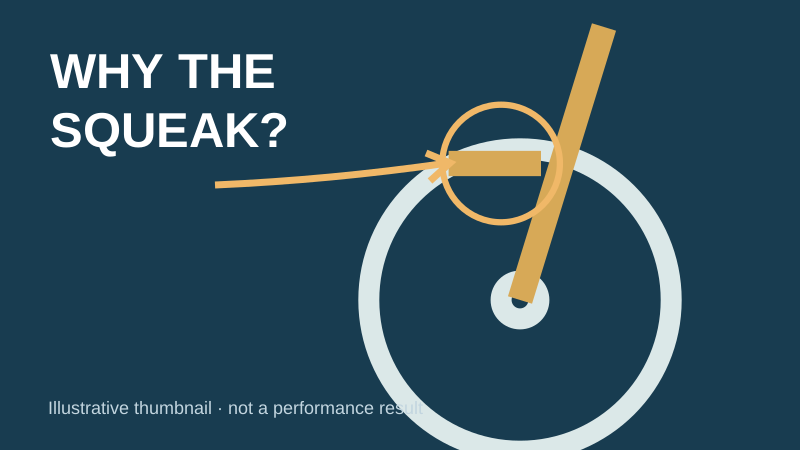
Draft B · One clear question
The close-up and question identify the detail the video needs to explain.
Choose one change you can describe, such as the thumbnail framing. Record when you make it. Changing the title and thumbnail together makes it harder to tell which change mattered; even one change does not create a controlled experiment.
3. Watch the section where people leave
At the video level, open Analytics and find audience retention under Overview or Engagement. A dip can mark a section people skipped or stopped watching; a spike can mean rewatching, sharing or confusion. Watch the relevant passage before deciding what it means. Data takes time to process, and not every video has highlighted moments.
Source: YouTube: audience retention
If the video promises to explain a squeak but starts with a long unrelated introduction, plan an opening that shows the problem and what the viewer will learn. For an existing upload, consider only changes the editor supports; otherwise apply the lesson to the next video. Do not delete and re-upload just to carry out this worksheet.
Recheck after another comparable period, once there is enough data to make a useful comparison. Note changes in traffic source and audience as well as the numbers. A better result after an edit is an observation, not proof that the edit caused it.
Shorts need separate interpretation. Where your channel has advanced feature access, you can select a public or unlisted related video from your channel in the Short’s details. This creates a link beneath the channel handle. A URL pasted into a Shorts comment or description is not clickable.
Sources: YouTube: related videos in Shorts · YouTube: where links are clickable
Keep one simple record
Video and format:
Question the video answers:
Date published and age when checked:
Comparison dates:
Main traffic sources:
Counted thumbnail impressions:
Impressions click-through rate:
Total views (may include other sources):
Retention moment to review, if available:
One change and the date made:
What changed in the next comparable period:
What else could explain the difference:
Download this worksheet (.txt)
Choose the weakest part you can support with evidence: discovery, the promise before the click, or the experience after it. Make one useful edit and keep your record. Once people are watching, use the free YouTube Subscribers guide to plan a relevant next video.
The free exercise above is complete. SidesMedia also sells a separate paid views service. It is not needed to use this guide and does not guarantee organic recommendations, watch time or monetization eligibility. You can buy YouTube views from real, active accounts — delivery is gradual, never needs your password, and every order is backed by a refill guarantee.
One email with our complete checklist for growing on every platform, plus the tactics we send subscribers first. No spam, unsubscribe anytime.
Free tools to plan your growth
Or read every YouTube growth guide we've published.
Keep growing: Free YouTube Subscribers guide, YouTube views packages.
Frequently asked questions
Does this guide give my video free views?
No. It helps you review your own video and choose a practical next edit. It does not send views, connect to your channel or guarantee a result. You can use the worksheet without buying anything or signing up for email.
Why do I have views but few thumbnail impressions?
Not every view comes from a counted thumbnail impression. Check the traffic-source report: external links and end screens are examples of sources that can produce views outside that count. Compare the same source and date range before drawing a conclusion.
What click-through rate should I aim for?
This guide sets no universal target. Use your own comparable videos and account for topic, age, audience and traffic source. Avoid judging a new thumbnail from a very small sample.
What if the retention report is missing?
Allow time for processing and use the information that is available. Highlighted moments may not appear on every video. Watch the opening yourself, check that it fulfils the title’s promise, and record the missing data rather than inventing a result.
Can I use the same worksheet for Shorts?
Keep Shorts separate from long-form videos. The viewing experience and available measurements differ. Use the related-video feature where eligible to offer a relevant next watch, rather than relying on a pasted URL in a Shorts comment.
Will buying views make YouTube recommend my video?
This guide does not treat purchased views as a recommendation strategy. No paid service can establish a guaranteed organic result from this worksheet. YouTube prohibits artificial engagement; review its policy before using a third-party service.
Source: YouTube: fake engagement policy