
Published: March 30, 2026
Snapchat’s disappearing messages make it tough to know what’s really being said – chats vanish after viewing, stories expire in 24 hours, and “Opened” notifications alert the sender instantly.
Whether you’re a parent worried about your teen’s safety online (cyberbullying, strangers, risky content) or someone dealing with trust issues in a relationship, the urge to check Snapchat messages discreetly is common.
The good news? There are practical ways to view Snapchat messages (texts, snaps, stories) without triggering read receipts or notifications. Some are simple tricks for your own account; others use monitoring tools for someone else’s device. We’ll cover free/manual methods first, then the most reliable option.
| Quick Answer:
The best way to view Snapchat DMs (including deleted messages!), private stories, and snaps from any account is with uMobix. It is a trusted professional monitoring tool for kids and partners that captures everything remotely and invisibly. |
Snapchat is popular for secret conversations because messages auto-delete and the app notifies if someone screenshots. Red flags that often lead people to check include:
If these ring true, viewing Snapchat messages can provide clarity. Always prioritize open communication first – snooping should be a last resort, and unauthorized monitoring may have legal risks (use only with consent or on devices you own/parent).
Here are tested, practical methods that work on both Android and iPhone in 2026. Start with the free ones for quick checks.
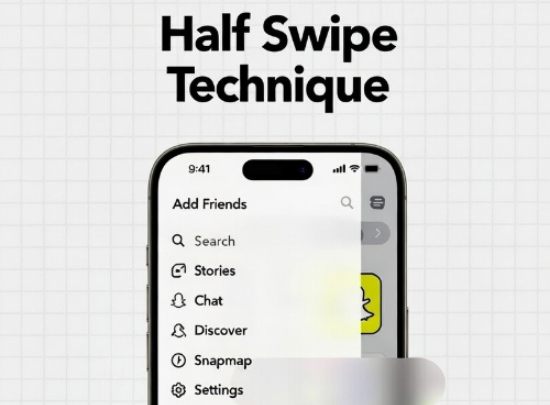
This built-in workaround lets you peek at text messages without marking them “Opened.” It works on both Android and iOS – no extra tools needed.
How to do it:
Pro Tip: Practice on a test chat first – too far and it opens fully, triggering the notification. Works best for text; won’t show full snaps or images. If they have Snapchat Plus with “Peek a Peek” enabled, they might detect partial swipes – use cautiously.
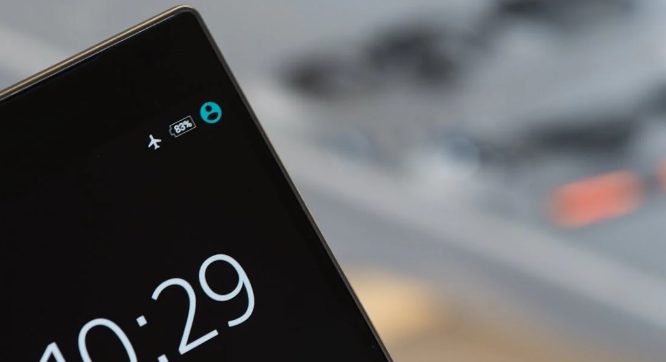
Load messages while offline to view without syncing the “Opened” status. Works on Android and iPhone for texts and some snaps.
Steps for iPhone:
Steps for Android:
Pro Tip: This prevents read receipts but may not work perfectly for video snaps (view once only). Risky if you forget to clear cache – test on non-important chats.
Enable detailed Snapchat notifications to see message previews without opening the app.
How to use: Go to phone Settings > Notifications > Snapchat > Allow notifications + Show content. On the lock screen or banner, you’ll see the sender + partial text.
With this method, it’s safe to say it’s not like monitoring a Snapchat account. It’s really limited to short previews; it won’t show full chats, snaps, or media. Useful for deciding if it’s worth opening.
If you have brief access to the device, use built-in mirroring (e.g., AirPlay for iPhone or Cast for Android) to view Snapchat on another screen without interacting directly.
This is not truly secret long-term; requires physical proximity. Better for one-off verification.
Free tricks are limited; they only work for your own incoming messages, can’t recover deleted content, and fail for ongoing/private monitoring.
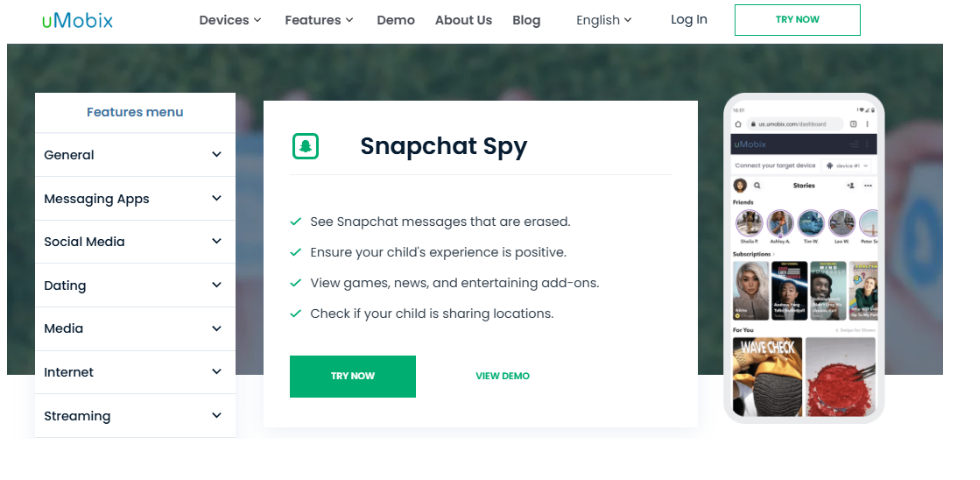
For full access to someone’s Snapchat (texts, snaps, stories, deleted messages, even private ones), a professional monitoring app is the best solution.
uMobix stands out as the top choice for viewing Snapchat messages discreetly on both Android and iPhone.
Pro Tip: Use for parental monitoring (legal on your child’s device) or with explicit consent. Avoid unauthorized adult spying to stay legal/ethical. uMobix includes 24/7 support and a money-back guarantee – try the demo dashboard first.
Start with half-swipe or Airplane Mode for quick, free peeks on your own chats. But if you need reliable, ongoing insight (especially for safety or trust concerns), uMobix provides the clearest, most undetectable view of Snapchat activity – without ever needing to touch their phone again. Stay safe, communicate openly when possible, and use these methods responsibly.
Мethods like half-swiping for text previews, Airplane Mode tricks to read offline, or monitoring apps like uMobix let you view messages, snaps, and stories discreetly without triggering “Opened” notifications.
Half-swiping works on both Android and iOS in 2026, just gently swipe right on the chat without fully opening it, then slide back to avoid marking as read.
It works best for text messages and some snaps; video snaps may not load fully offline. Clear cache/data after viewing to prevent read receipts from syncing.
Reputable apps like uMobix run in complete stealth mode. No notifications, no app icon, and no alerts on the target device.
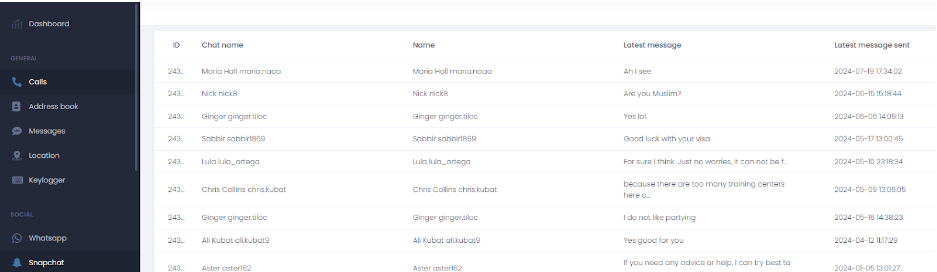
After a one-time setup, uMobix captures real-time screenshots of chats, snaps, stories (including private ones), and deleted messages, syncing everything to your private dashboard remotely.
With uMobix, automatic screenshots capture messages and snaps before they delete, so you can view deleted content that would otherwise be gone.
It’s generally legal to monitor your child’s device with parental consent or with explicit consent. Unauthorized access to an adult’s account can violate privacy laws. Always check local regulations and use ethically.
Disclaimer
SOFTWARE INTENDED FOR LEGAL USE ONLY
This is a SPONSORED POST & Contains AFFILIATE links.
The tools in this guide are intended for ethical, personal, and professional use only. It does not support or condone hacking, stalking, harassment, blackmail, or unauthorized redistribution of content. Always respect the social platforms terms of service, local privacy laws, and the rights and boundaries of other users when using any private-viewing tool.

Finding the best spy app for Android today depends on how much access you need and how accurately you want...

Trying to figure out how to see if someone is active on TikTok gets frustrating fast because TikTok hides a...

You want to understand how to view private TikTok account content without wasting time on fake generators or broken methods,...
Want to grow your social media faster?
